

Use actual measurements to create a virtual version of your rooms and house layout, then add furniture from the IKEA catalog to see the best way to fit into your home. View everything in 3D to get a feel of how things will look like in real life.
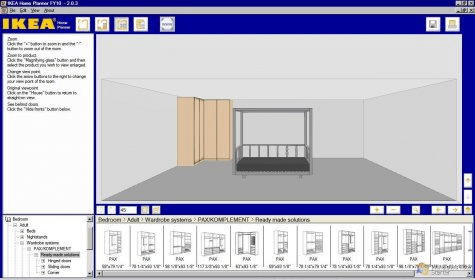
Most part of our life we spend at our houses and offices. So it's furniture and atmosphere very important to us as our mood and health depends on it. If the furniture at office is not comfortable for you it affects your work efficiency. If the atmosphere in your house is not suitable for you then you can't relax 100%. IKEA Home planner can help you planning the furniture of your office, bedroom, kitchen/dining. This program is very easy to use. First of all you should choose the size and shape of the room. After that you should add windows, doors and other stuff. Then in the Furnish mode you can fill your room with bits of furniture from IKEA catalog. All goods are sorted by classes and subclasses. Goods are displayed as small sketch and size. You can drag whatever you need on the plan from the catalog. Then you can see the results in a 3D View mode. The view can be rotated and zoomed in and out. You can move and rotate the furniture, change the color and accessories. And at the end you can see the list of chosen furniture with the prices and print it. You can save the project on the hard drive or in your IKEA profile in the Web for further using.






Comments (1)